The Best Desk Tools for People Who Feel Distracted, Restless, or Overwhelmed
If you feel distracted, restless, or overwhelmed at your desk, your workspace may need better support. A busy desk can quietly add stress to your workday, especially when it is filled with screens, notifications, clutter, and too many open loops.
The right desk tools can help create a calmer, more focused environment without adding another app, alert, or digital distraction.
Table of Contents
- Why Your Desk Can Make You Feel Overwhelmed
- The Problem With Too Much Digital Stimulation
- How Restlessness Affects Focus
- What Makes a Desk Tool Actually Helpful
- Why Sensory Tools Support Calm and Attention
- Desk Tool 1: Mind Sculpt for Restless Hands
- Desk Tool 2: Calming Cloud for a More Peaceful Workspace
- How to Build a Desk Setup That Supports You
- Final Thoughts
Why Your Desk Can Make You Feel Overwhelmed
Your desk may look like a simple workspace, but your brain experiences it as an environment full of signals.
A laptop. A phone. A notebook. A pile of papers. Open tabs. Notifications. Coffee. To-do lists. Cords. Messages. Deadlines. Half-finished tasks.
Even when each thing seems small, together they can create mental noise.
That is why you can sit down at your desk and feel overwhelmed before you even start working.
Your desk may be quietly asking your brain to process too much at once.
When your workspace feels busy, your attention has more places to go. You may feel scattered, restless, or pulled in different directions. Instead of focusing on one task, your brain keeps scanning everything around you.
A calmer desk setup can help reduce that pressure.
The goal is not to make your desk perfect. It is to make your space feel more supportive so your mind has fewer things fighting for attention.
The Problem With Too Much Digital Stimulation
Most workdays are already full of screens.
You may spend hours looking at your laptop, checking messages, answering emails, joining video calls, opening apps, and switching between tabs. Then, during breaks, it is easy to reach for another screen.
That means your brain may never get a true pause.
Digital stimulation can keep your attention moving quickly. Even if you are not actively stressed, your mind may stay in a state of constant reaction.
You may notice:
- Checking your phone during small pauses
- Opening tabs without thinking
- Feeling tired but wired
- Struggling to complete one task at a time
- Getting distracted during deep work
- Feeling mentally full by midday
- Reaching for your phone when tasks get hard
This is why physical desk tools can be useful. They support focus and regulation without adding another screen, alert, or stream of information.
Sometimes your workspace does not need another app. It needs a quieter kind of support.
How Restlessness Affects Focus
Restlessness is not always a sign that you are unfocused.
Sometimes it is your body’s way of trying to regulate energy.
When you feel stressed, bored, overloaded, or mentally tired, your hands may start looking for something to do. You may tap your fingers, click a pen, scroll your phone, pick at your nails, or keep shifting in your seat.
Those movements often happen because your nervous system is trying to release tension.
The challenge is that some outlets create more distraction.
Scrolling your phone can turn a few seconds of restlessness into twenty minutes of lost focus. Opening another tab can pull you away from the task completely. Clicking around can make you feel busy without helping you settle.
A better desk tool gives that restless energy somewhere to go without stealing your attention.
The best tools support the body while keeping the mind available for the work in front of you.
What Makes a Desk Tool Actually Helpful
Not every desk accessory helps focus.
Some tools look cute but become clutter. Some fidget items are too loud or distracting. Some productivity tools create more work because you have to manage them constantly.
A helpful desk tool should be simple, quiet, and easy to use.
Look for tools that:
- Reduce stimulation instead of adding more
- Support your body without distracting your mind
- Fit naturally into your routine
- Create a calming sensory experience
- Help you pause without reaching for your phone
- Make your workspace feel more grounded
- Do not require an app or screen
The best desk tools are not the loudest ones. They are the ones you barely have to think about.
They sit quietly in your environment, ready when you need them, like tiny anchors for a busy day.
Why Sensory Tools Support Calm and Attention
Your senses influence your nervous system throughout the day.
What you see, hear, touch, and feel can either increase stimulation or help your body settle. This is especially important at a desk, where so much of your attention is usually pulled into screens and tasks.
Sensory tools can support calm by giving the body a simple, grounding input.
Touch can help restless hands settle. Gentle sound can soften the environment. Slow movement can give the eyes a calming place to rest. These signals may seem small, but they can change how your workspace feels.
Helpful sensory inputs may include:
- Soft tactile feedback
- Gentle ambient sound
- Slow visual movement
- Natural materials
- Warm lighting
- A clear desk surface
- A screen-free reset tool
The goal is not to distract yourself from work. The goal is to create a workspace that helps your nervous system feel less overloaded while you work.
Desk Tool 1: Mind Sculpt for Restless Hands
Mind Sculpt by Mindsight is a tactile tool designed to give restless hands a calming outlet.
When your hands want to move, Mind Sculpt gives that energy somewhere to go. You can stretch it, squeeze it, roll it, shape it, or press it while you think.
This kind of tactile input can be especially helpful when you feel mentally overloaded but still need to stay present.
Mind Sculpt can support focus during:
- Meetings
- Phone calls
- Study blocks
- Writing sessions
- Creative work
- Long desk days
- Stressful moments
- Deep work sessions
The value of Mind Sculpt is that it gives your body something to do without pulling your mind into another screen. Instead of checking your phone or clicking through tabs, your hands have a quiet sensory outlet.
It is not about distracting yourself.
It is about helping your body settle enough for your mind to stay with the task.
Mind Sculpt
A tactile focus and stress relief tool that gives restless hands a quiet, grounding outlet during work, study, and creative thinking.
Explore Mind SculptDesk Tool 2: Calming Cloud for a More Peaceful Workspace
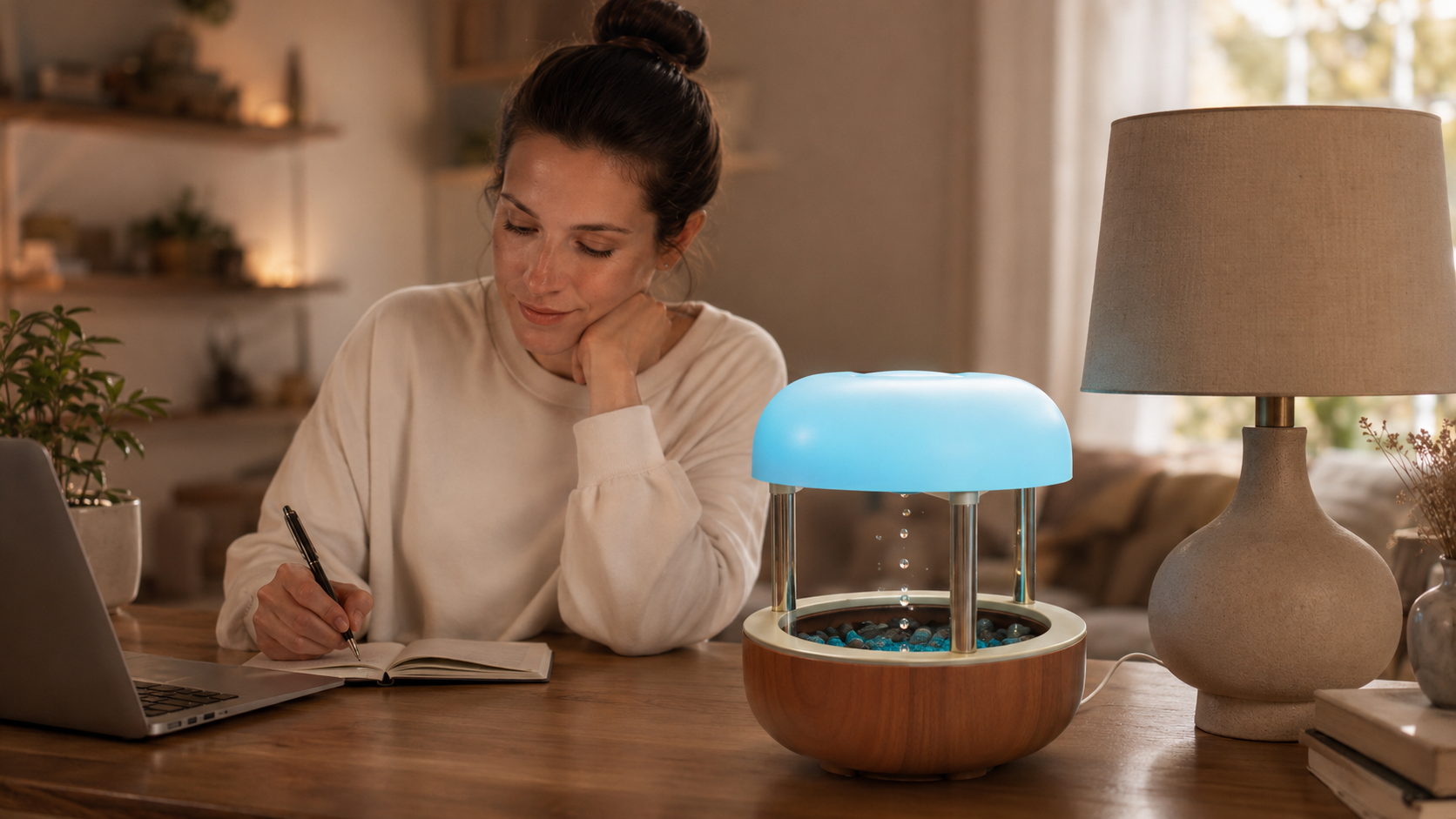
The Calming Cloud Tabletop Fountain by Mindsight helps create a calmer desk or workspace through soft water movement and gentle ambient sound.
A workspace can feel stressful when it is filled only with screens, task lists, messages, and deadlines. Adding a simple natural sensory element can help soften the environment.
The sound of flowing water creates a steady background rhythm. The gentle movement gives your eyes something calming to rest on during short pauses.
Calming Cloud can be helpful for:
- Home offices
- Work desks
- Reading corners
- Creative spaces
- Therapy offices
- Study areas
- Meditation corners
- Quiet reset spaces
Unlike digital tools, it does not ask you to check anything, respond to anything, or manage another notification. It simply adds a calmer sensory layer to the room.
This can make your desk feel less sharp and more supportive, especially during long workdays.
Calming Cloud Tabletop Fountain
A tabletop fountain that adds soft water movement and gentle ambient sound to help create a more peaceful workspace.
Explore the Calming CloudHow to Build a Desk Setup That Supports You
A supportive desk setup does not need to be complicated.
Start by reducing what competes for attention. Then add tools that help your body feel calmer and your mind feel more focused.
Try this simple setup:
- Clear the surface before starting work.
- Keep only what you need for the task in front of you.
- Place your phone out of reach during deep work.
- Add one tactile tool for restless hands.
- Add one calming sensory element to soften the space.
- Use short reset breaks between tasks.
- End each work block by writing down the next step.
The goal is to create a desk that helps you begin, focus, pause, and return.
You do not need a perfectly aesthetic workspace. You need a workspace that understands the kind of day your nervous system is having.
Some days, that means less clutter. Some days, it means a tool for your hands. Some days, it means a gentle sound in the background that reminds your body to unclench.
Final Thoughts
If you feel distracted, restless, or overwhelmed at your desk, it does not always mean you need more discipline.
You may need better support.
Your workspace shapes how your brain feels while you work. Too much clutter, too many screens, and too many interruptions can make focus harder than it needs to be.
Small physical tools can help create a calmer work environment without adding more digital stimulation.
Mind Sculpt gives restless hands a quiet outlet. Calming Cloud adds soft sensory calm to the space around you. Together, they can help your desk feel less like a pressure zone and more like a place where focus can actually happen.
Start with one small change.
Clear one surface. Move your phone. Give your hands something grounding. Add one calming cue.
Your desk does not have to be perfect. It just has to help you come back to yourself.